Updates
Updates helps returning workspace members understand what progressed, what was learned, and where a decision was recorded. When enabled for your environment, it is the workspace landing page and is available from workspace navigation.
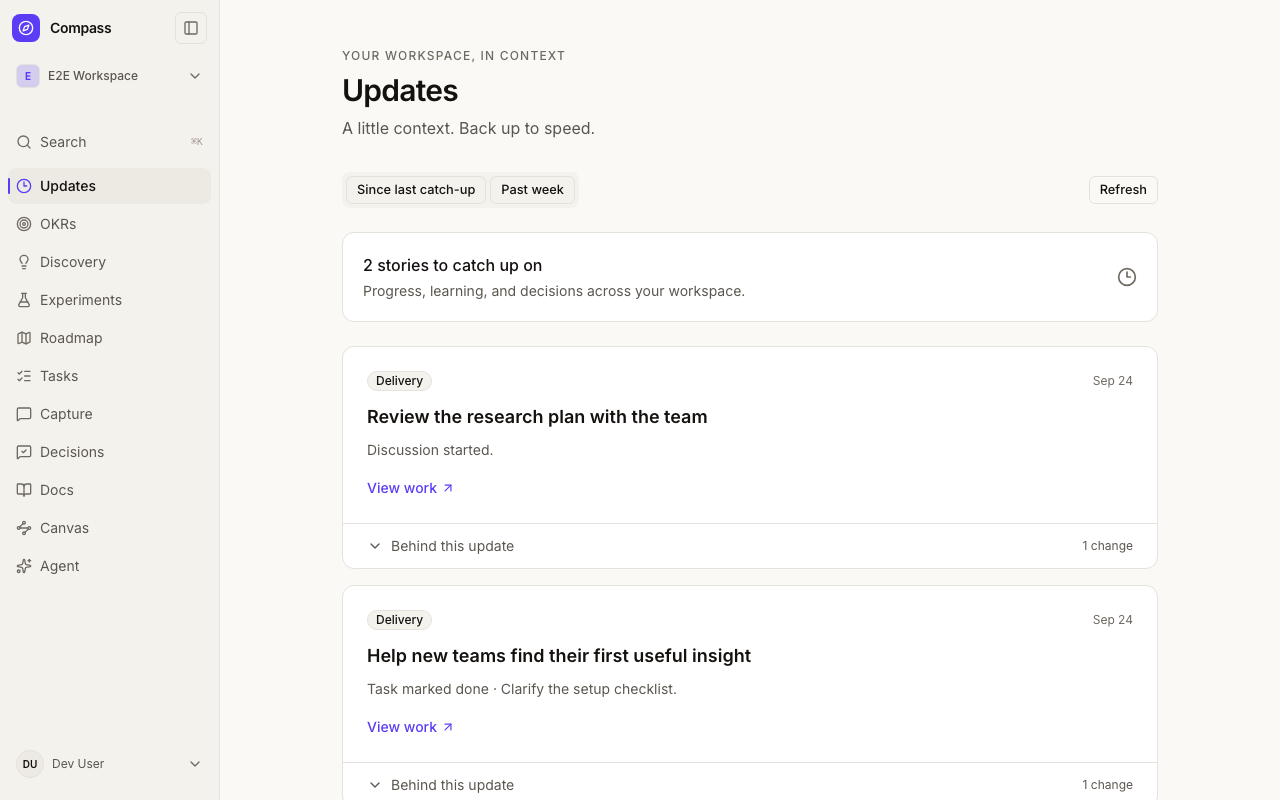
Read a story, then inspect the details
Related activity appears together in a card, newest activity first. Expand a card to see the individual changes behind it, then follow a source link to the original item. Headlines describe recorded changes; they are not AI-generated interpretations or recommendations.
Grouping follows explicit relationships, such as a subtask's parent task or an experiment's results. Linking a task to several other items does not combine those items into one story. Names reflect the current source records, so a renamed item may have a different title from when its activity occurred.
Catch up at your own pace
Since last catch-up shows activity you have not acknowledged. On your first visit, the starting window is the previous seven days. Your personal catch-up state is saved for this workspace, independently of other members.
Opening Updates, expanding a card, or opening a source never marks activity as read. Choose Mark caught up explicitly when you have finished reviewing the loaded snapshot. If more unread activity needs loading, load it before marking the whole snapshot caught up. Work arriving after that snapshot remains unread.
Use Past week to browse recent history, including work you already acknowledged. Browsing history does not reset your catch-up state.
After marking caught up, Undo restores your previous position if that action is still current. A newer catch-up action in another tab or device makes the old Undo unavailable, preventing it from overwriting your newer position.
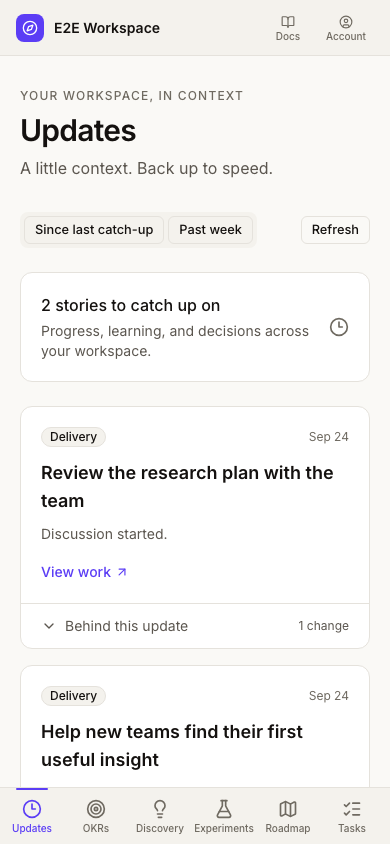
On narrow screens, workspace navigation scrolls horizontally so its destinations remain reachable. The same cards and catch-up controls work on mobile.
What appears here
The initial capture scope covers task milestones, discovery creation and status changes, roadmap changes, experiment activity and results, newly attached evidence, recorded decisions, new root discussions, and solution plans. Discussion entries mean that a conversation was added, not that a decision was made.
Updates is a catch-up aid, not a complete audit log. Ordinary text edits, sorting, discussion replies and edits, document/artifact revisions, research session internals, feedback triage, and OKR check-ins are outside this initial scope. Activity starts when capture is enabled; existing records are not converted into invented historical transitions. A quiet feed therefore does not prove that no other work happened in the workspace.
Only accessible source records are shown. Deleted or inaccessible sources are omitted. Source content such as discussion bodies and decision rationales stays on its original item rather than being copied into the feed.
Availability
Updates requires the additive database migration and explicit environment activation. Until it is ready, existing workspace navigation and work continue normally. An unavailable feed or a failed request is not a confirmation that you are caught up; retry when service is restored.