Agents
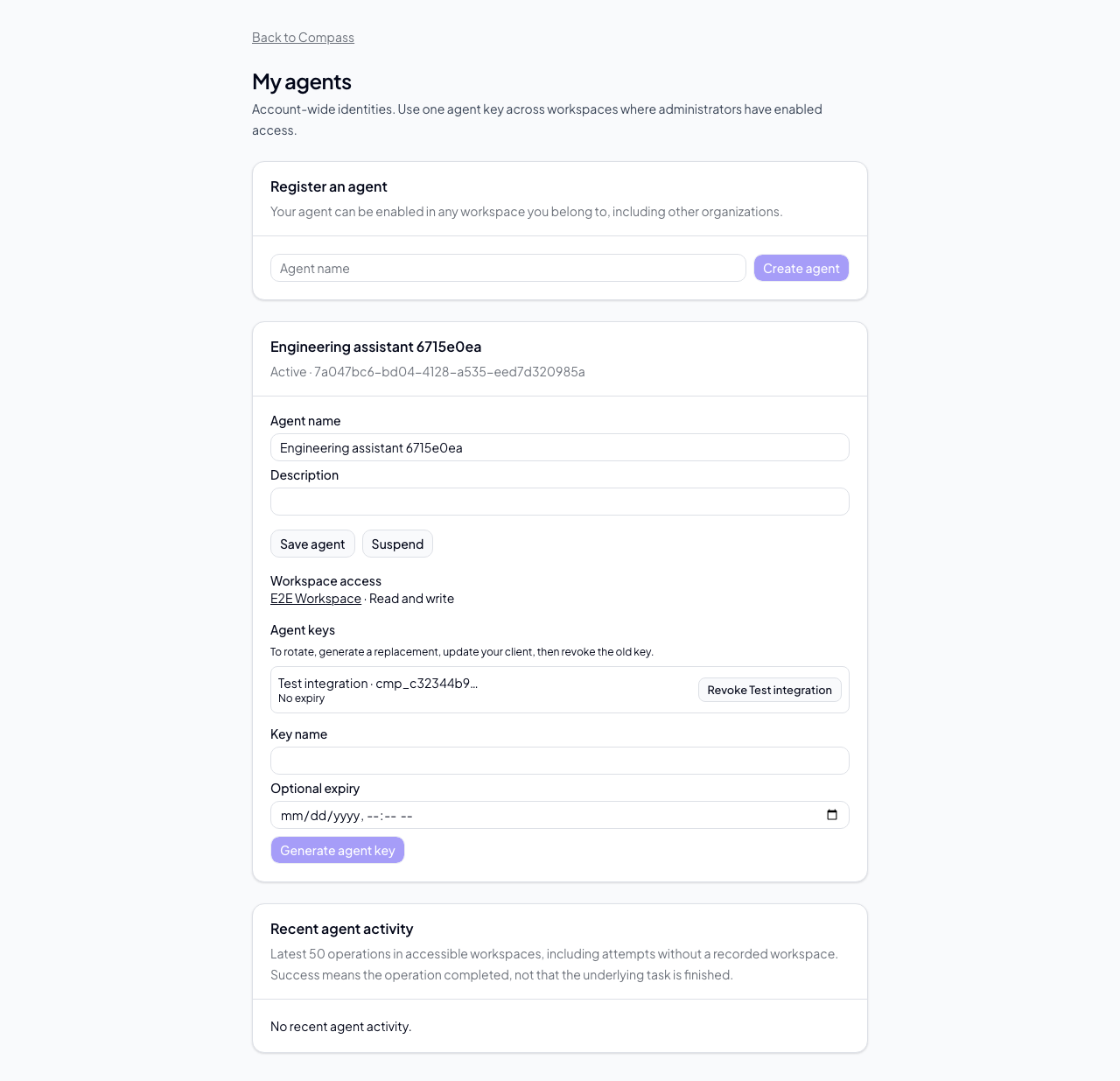
Register an external assistant as a named agent so it can receive tasks and identify its actions in Compass. Each agent belongs to your account and can work across approved workspaces, including workspaces in different organizations. You configure one agent key in your MCP client.
Register and connect
- Open My agents from your account or API-key settings.
- Create an agent with a recognizable name, such as “Engineering assistant.”
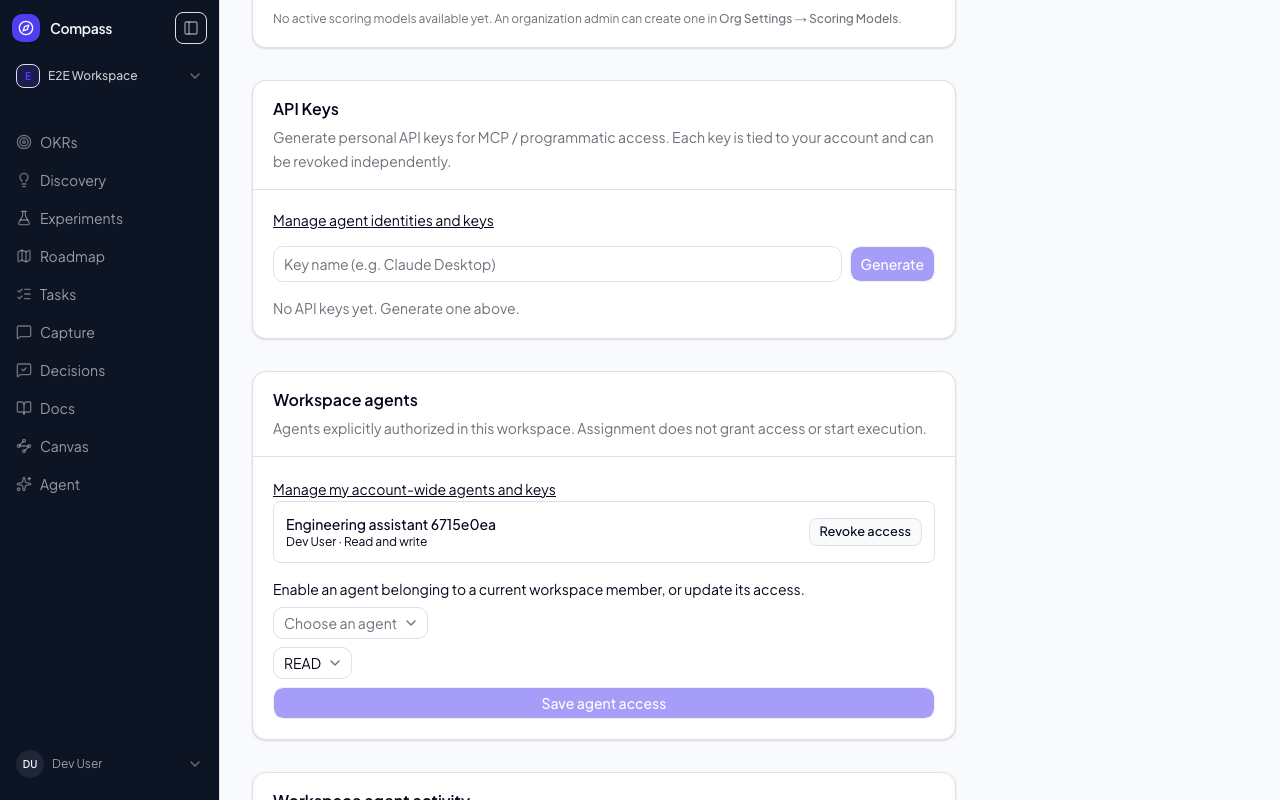
- Ask a workspace administrator to enable it under Workspace agents.
- Generate a key for the agent and copy it when shown. Compass never shows the secret again.
- Configure your existing MCP client with the Compass endpoint and that key.
The same key works in every workspace where the agent has an active grant and you remain a member. Adding or removing a workspace grant does not require a new key. An agent can be registered and assigned tasks before you generate a key.
Existing personal API keys remain personal credentials — they carry your full access across every workspace you belong to, administrative permissions included. An agent key is deliberately narrower: it reaches only granted workspaces, cannot administer anything, and can be revoked without disturbing your own access. Prefer an agent key whenever an AI assistant is doing the calling, and reserve your personal key for work you operate yourself. See Identity and Access for the full comparison.
Workspace access
Workspace administrators, or organization administrators with workspace access, choose which members' agents can operate in the workspace:
- Read: inspect permitted workspace data.
- Write: also perform ordinary product and task updates.
Agent access never exceeds its owner's current access. Agents cannot manage memberships, keys, grants, or human approvals. New workspaces do not automatically enable your agents, with one exception: if your agent creates a workspace (it may, while you are an organization owner or admin), it is given Write access to that workspace, recorded as granted by you. Removing a member revokes their agents' workspace grants; rejoining requires an administrator to grant access again.
Agents can add comments and plans, but cannot rewrite existing comments. Append a correction instead; this preserves the original author's attribution.
Research study and participant-link tools currently require a human or service key; registered-agent and built-in assistant keys cannot call them.
Assign a task
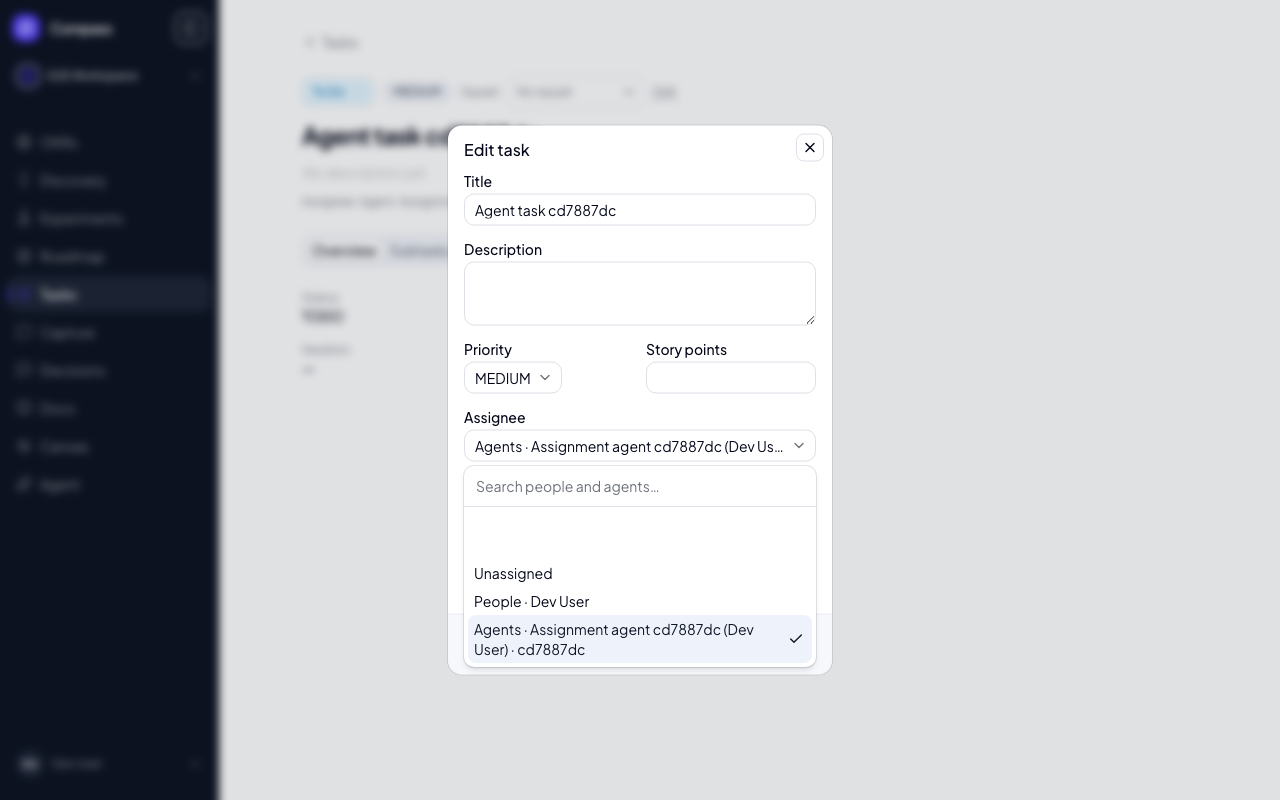
Use the task's Assignee picker to select a person or agent. A task has one assignee, or can be unassigned. The board, list, detail page, and roadmap delivery panel display the same identity. Assignee filters include people and agents.
Assignment records who should do the work. It does not automatically launch the agent or grant access. Your MCP client or automation decides when to execute.
If an agent is suspended or loses access, existing assignments remain visible as unavailable. Clear or reassign them explicitly. The external Owner label remains a separate descriptive field.
Keys and suspension
Generate a replacement key, update your client, then revoke the old key. Rotation does not change the agent's identity or assignments. You can give keys an expiry; otherwise external agent keys remain valid until revoked or access is removed.
Suspending your agent stops its subsequent requests everywhere. A workspace administrator can instead revoke just that workspace's grant.
Activity
Agent activity shows mutation attempts and their outcomes. A started operation without a recorded final result has an unknown outcome; check the affected data before retrying. A successful operation means Compass processed the tool request, not that the task's underlying work is complete.
Activity is scoped to the viewer's current workspace access. Raw tool arguments and API key secrets are not included.
MCP discovery
Use get_current_identity to inspect the authenticated identity and accessible
workspaces. Use list_task_assignees to find assignable people and agents.
Pass assignedToMe: true to list_tasks to find the registered agent's tasks.
For task creation or reassignment, use:
{ "assignee": { "type": "AGENT", "id": "<agent UUID>" } }
Use "USER" for a person or "assignee": null to clear the assignment.
Do not send both assignee and the legacy assigneeUserId field.
Deployment
Administrators must apply and verify migration 049_agent_identity before
this revision receives user traffic, then enable COMPASS_AGENTS_ENABLED=1.
The flag is not a substitute for installing the schema. Turning off new agent operations preserves
existing assignment records. This release supports external agents; the built-in
chat assistant is not a registered task assignee.