Agent capability packs
Workspace administrators can add reusable skills to the Compass in-app agent from Settings → Agent capability packs.
Before enabling packs in a deployed environment, an administrator must configure CAPABILITY_PACK_BLOB_READ_WRITE_TOKEN for a private Vercel Blob store. Preview and production require their own configured private pack storage. Compass does not fall back to the general BLOB_READ_WRITE_TOKEN, which may serve public documents or images. Missing or incorrectly configured private storage blocks pack installation and enabled pack turns; an agent with no active packs does not require this setting.
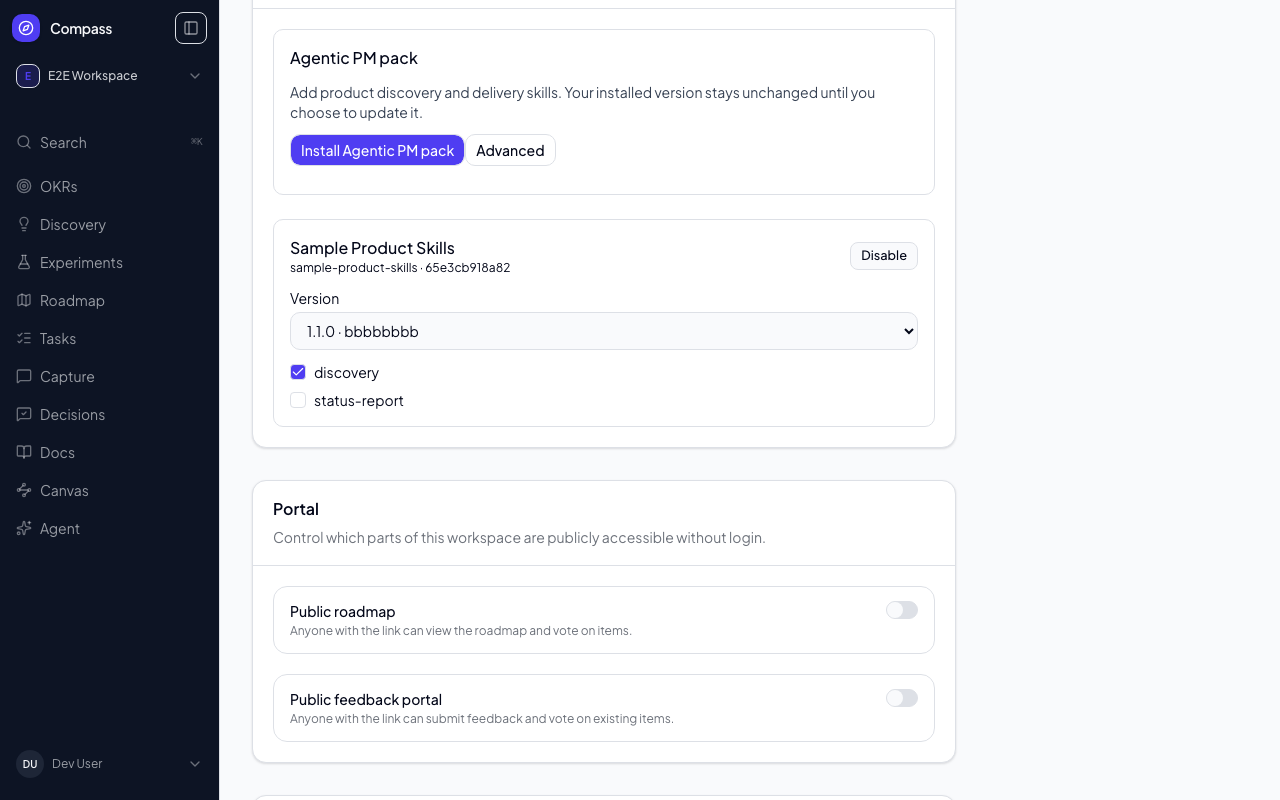
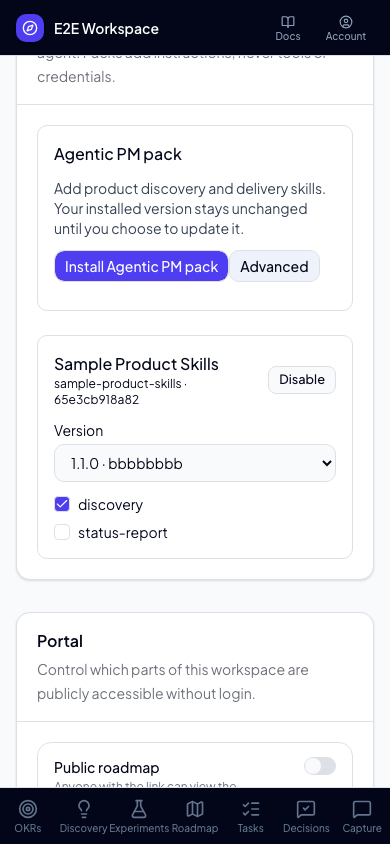
Choose Install Agentic PM pack for one-click setup. Compass resolves the curated Agentic PM Playbook repository's main branch once, validates its pack, and pins the resulting full commit SHA. You do not need to enter a URL, SHA, or path. An existing installation shows Agentic PM pack installed and keeps its selected version, enabled/disabled state, and skill choices unchanged.
For another pack or an explicit update, expand Advanced and enter a public GitHub repository URL, a full 40-character commit SHA, and the path containing the pack. Compass validates the content before attaching it. Installed versions are immutable and never update automatically: to upgrade, install another commit and select its version; to roll back, select an earlier version.
When the Agentic PM pack is installed, Compass compares your selected version with the Playbook repository's current main each time an administrator opens this page and shows either up to date or Update available with both short commit SHAs. The check is advisory: it never installs anything by itself, and if GitHub is unavailable or rate-limited the page simply says it could not check. Choose Update to latest to install that commit as a new immutable version and select it. Your enabled/disabled state and skill choices carry over: skills in both versions keep your choice, skills new in the update follow their defaults, and skills the update removed are dropped. The previous version stays installed, so rolling back is still a version change in the dropdown.
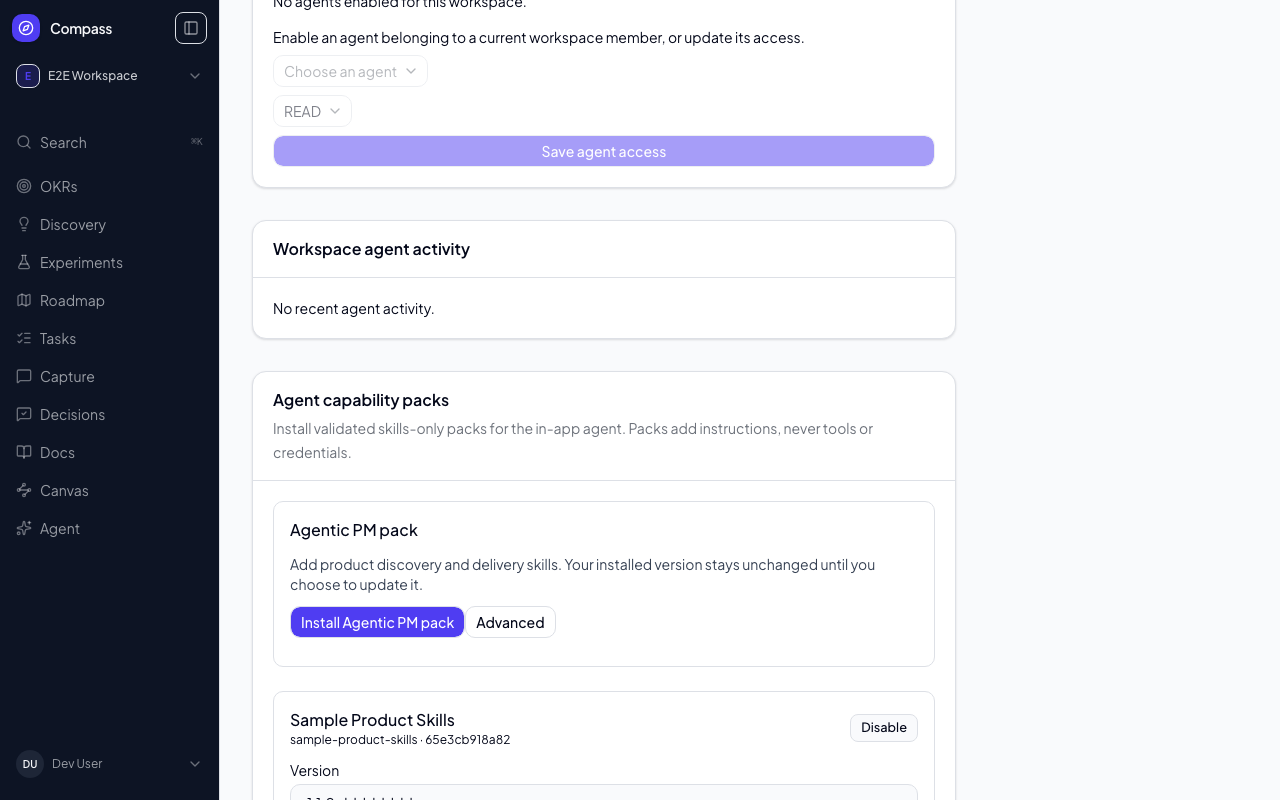
Use each skill's checkbox to choose which instructions are active, or disable the whole pack without removing its installed versions. A version change restores that version's default skill selection. Changes appear after saving; if a save fails, the previous selection remains visible with an error message.
Each pack must contain a compass-pack.json manifest and one or more declared skills/<skill-id>/SKILL.md files. Skills may reference bundled Markdown, text, JSON, YAML, CSV, SVG, PNG, JPEG, or WebP assets. Packs are limited to 1 MiB, 20 skills, and 256 KiB per file.
The in-app runtime compiles enabled skill instructions directly into each turn's context. Directly linked UTF-8 Markdown, text, JSON, YAML, CSV, and SVG assets are included once per pack as text, with a combined 64 KiB limit across all enabled packs and their prompt appendices. SVG is supplied as text, not rendered as an image. Binary assets (PNG, JPEG, WebP) are accepted by the pack format but cannot be consumed by this runtime: installation or enabling a skill that references one fails with an explicit error. Links to disabled skills are also rejected; disabled skill bodies never enter the compiled context. Pack images require a future runtime capability.
Compilation uses more context per turn than loading a skill on demand, but does not require granting filesystem or shell access. The runtime checks stored artifact digests and compilation limits again before each turn. To recover from an unavailable artifact, disable the pack.
Capability packs add instructions, not authority. They cannot add shell or filesystem access, external websites, secrets, hooks, commands, subagents, or MCP servers. Compass applies the signed-in user's existing workspace permissions to every action a pack's instructions lead to. The only way to give the agent a tool provider other than Compass is for the signed-in user to connect one themselves — see Connected MCP servers — which a pack cannot do on their behalf.
Agentic PM Playbook pack interface
The Playbook repository's Compass edition should live at packs/compass/ and include a schema-version 1 manifest. Its cloud skills must use the active workspace ID supplied by Compass, operate through Compass MCP only, and return reports in the conversation. They must not read pm-config.md, request API keys, spawn agents, or fall back to Obsidian, Jira, GitHub, Vercel, shell, or local files.
For the status-report workflow, the assistant response and existing conversation history are the v1 archive. A separate report datastore is not required.