Experiments
Hypotheses, methods, kill conditions, and result notes support Markdown on experiment details. Compact experiment cards remain short plain-text previews.
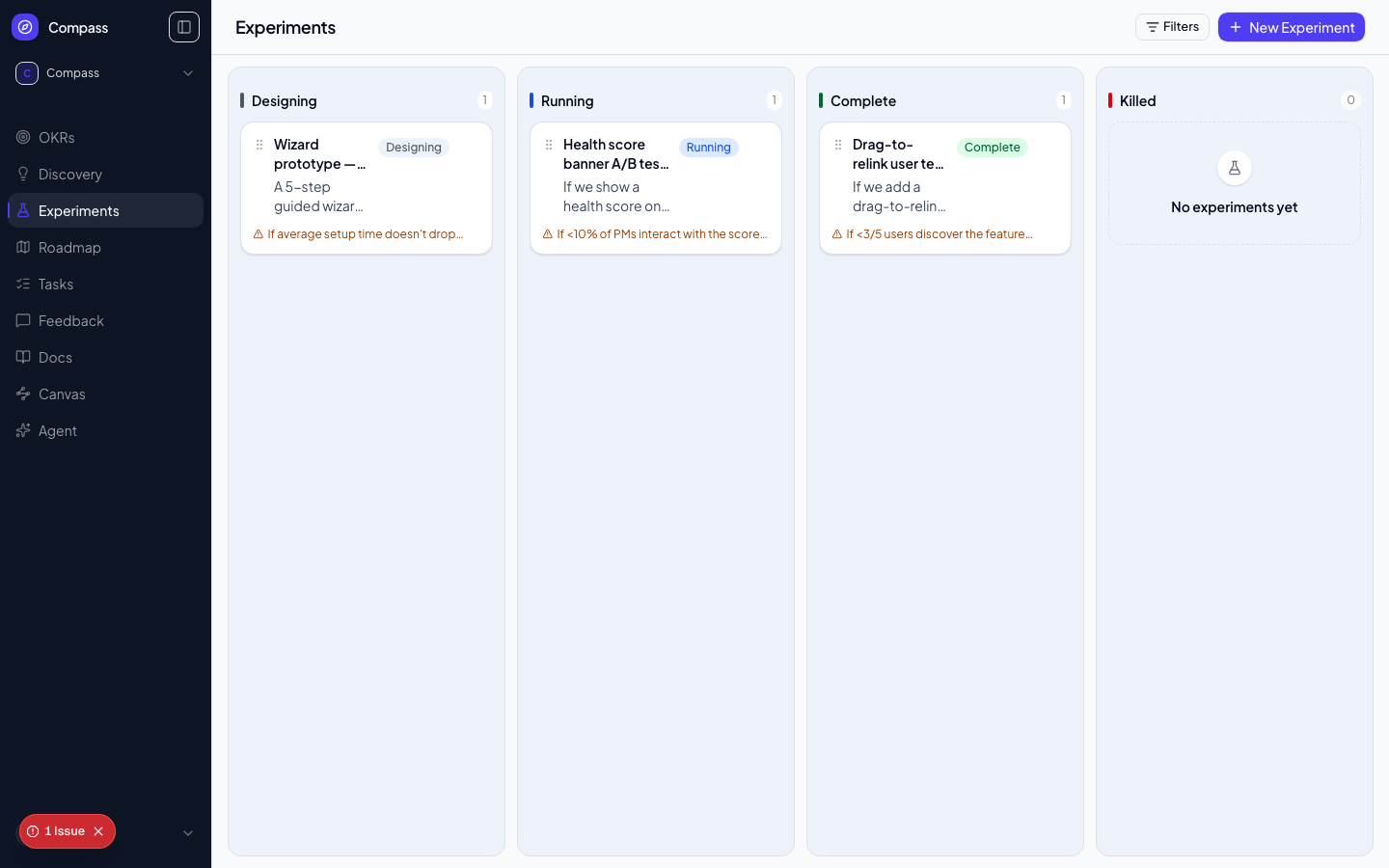
Experiments let you test the riskiest assumptions attached to your solutions before your team commits to building. Every experiment in Compass has a structured lifecycle that forces you to define success criteria upfront — preventing you from rationalising inconclusive results as successes after the fact.
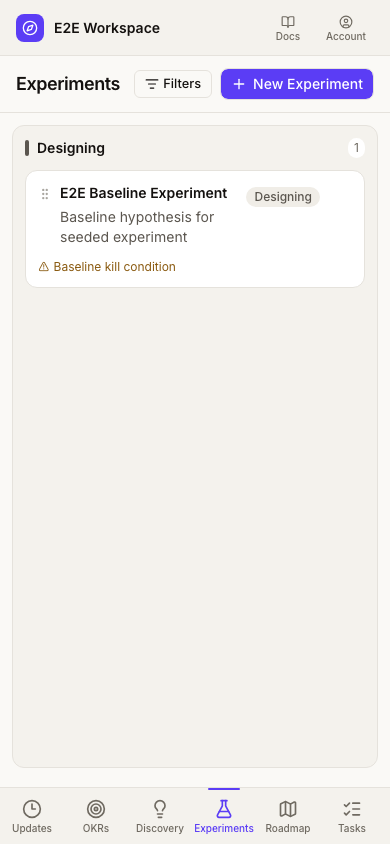
On mobile, each column fills the available board width with small side gutters. Swipe sideways to reach the next column.
📸 Screenshot: run
pnpm docs:screenshotswith aDOCS_SESSION_FILEto capture this image.
The Experiment Lifecycle
On touch screens, swipe over card content to scroll vertically or move horizontally between board columns. Use the dotted drag handle to move a card instead. On desktop, column headers stay visible while their cards scroll.
Experiments move through these statuses:
- DESIGNING — The experiment is being planned. You're writing the hypothesis, deciding on the method, and defining kill conditions.
- RUNNING — The experiment is live. Data is being collected.
- COMPLETE — The experiment ran to completion and produced a conclusion.
- KILLED — The experiment was stopped early (for ethical, business, or resource reasons) before reaching the planned end condition.
Use Filters at the top of the page to focus the experiment board on a specific squad. Clear the selected squad from the same menu to return to the full board.
Creating an Experiment
Click New Experiment on the Experiments page, or click Test this assumption → next to any untested assumption in Discovery's OST Tree view — that pre-fills the assumption picker below so you don't have to hunt for it. Either one opens the experiment composer in the right-hand panel. On wide screens it docks beside the board; on narrow screens it opens as a full-width sheet. Fill in:
- Title — A short name for the experiment (e.g. "Trial expiry email A/B test")
- Hypothesis — A falsifiable prediction in the format: "We believe [action] will result in [outcome] for [audience], as measured by [metric]."
- Method — How you'll run the test (A/B test, user interview series, fake door, prototype test, etc.)
- Kill conditions — The conditions under which you'll stop the experiment early (e.g. "If conversion rate drops below 2% in the first 48 hours, stop")
- Squad — Optional team assignment
- Linked assumption — Connect the experiment to the specific assumption from Discovery that it's testing
- Metrics — Optional. Pick existing workspace metrics to track on the experiment. They are linked over the last 30 days once the experiment exists; add comparison periods from the experiment afterwards. If a metric can't be linked, the experiment is still created and the composer tells you which metrics were skipped.
Press ⌘/Ctrl + Enter or select Submit to create the experiment. The composer then turns into the new experiment's detail panel. Your draft is saved on this device for each workspace as you type: closing the panel, reloading or leaving the page keeps it, and the composer says Restored your unsent draft the next time you open it. Discarding a draft asks for confirmation first.
Recording Results
Once an experiment is COMPLETE or KILLED, open the detail panel and click + Add Result. Record what you observed: the actual metrics, any qualitative findings, and unexpected outcomes.
Conclusions
Every experiment ends with a conclusion that tells the team what to do next:
- PROCEED — The hypothesis was supported. Move forward with the solution.
- KILL — The hypothesis was refuted. Abandon this solution direction.
- ITERATE — The results were mixed or inconclusive. Refine the solution or hypothesis and run another experiment.
Conclusions are inputs to the Roadmap. When an experiment concludes PROCEED, it provides strong justification for adding the linked solution to the roadmap. When it concludes KILL, the linked opportunity may need to return to VALIDATING status.
Linking Back to Discovery
Each experiment is linked to an assumption in Discovery. This connection means you can see, on any solution, which of its assumptions have been tested and what the outcomes were — giving stakeholders a complete evidence trail for every roadmap decision.